Codex setup
Workspace context
Use codex setup in a scoped workspace and verify the result with agents records. Select a workspace with representative test data and record the active revision before you start. A response from a different workspace can look valid even when it contains none of the expected records.
Start a client session with the workspace identity. Discover the available tools again after changing a policy. Compare the advertised tool names with the capability list and invoke one permitted read to confirm the effective scope.
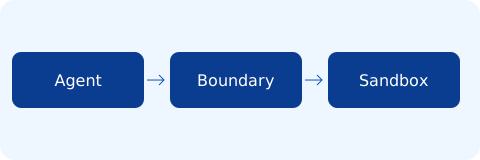
BoundaryKit request flow
Read the baseline
Request the first page of agents using the v2 endpoint. Supply the organization explicitly on every request. Load the key from your shell environment and keep the expanded command out of build logs.
curl --fail-with-body "https://api.boundarykit.com/v2/agents" -H "X-API-Key: $BKIT_KEY" -H "X-Organization-Id: $BKIT_ORG"
Compare the returned identifiers with the records you expect to see in this workspace. An empty result is a successful read. Verify the workspace selection before creating a replacement record or changing a policy.
Verify the result
Repeat the read with a credential scoped to a separate test organization. Check the response status before processing the body. Preserve the workspace identifier and response time alongside the revision so another operator can reproduce the observation.
Response |
Operator action |
|---|---|
200 |
Inspect the returned agents records. |
403 |
Verify the organization and identity scope. |
503 |
Retry the read after a bounded delay. |
Warning
Keep credentials out of the evidence bundle. Store a request identifier and a redacted response instead.
For a walkthrough of the service boundary, see Runtime architecture.
Acceptance check
Register the local server command in the Codex MCP configuration. Run the check with a known input and save the observed result beside the configuration revision. Repeat after promotion using the same input and compare both records.